Audio
Without good audio, your video is worthless, so I would recommend spending a little on audio as well. To record good audio for an educational video, you need to do two things: 1) record audio with a good microphone and 2) improve the audio quality.
Microphone
If you want to record audio in a noisy environment, you will have to spend a considerable amount to record good audio. Therefore, I would advise you to record videos in a quiet place. You can choose a room where you are alone and which can be closed off from all sides. Alternatively, you can choose a time when there is very little noise, such as between 2 AM and 5 AM.
To record audio in a quiet place, you should know about three types of microphones: one is a microphone that allows you to record audio on a computer, the second is a microphone that allows you to record audio on a mobile phone, and the third is a microphone that has a built-in card for audio recording.
Recording Audio on a Computer
If you want to record audio on a computer, I would recommend using a microphone with a USB interface. If you have a limited budget, you can purchase the Samson C01U Pro, and if your budget is higher, you should consider getting the Blue Yeti.
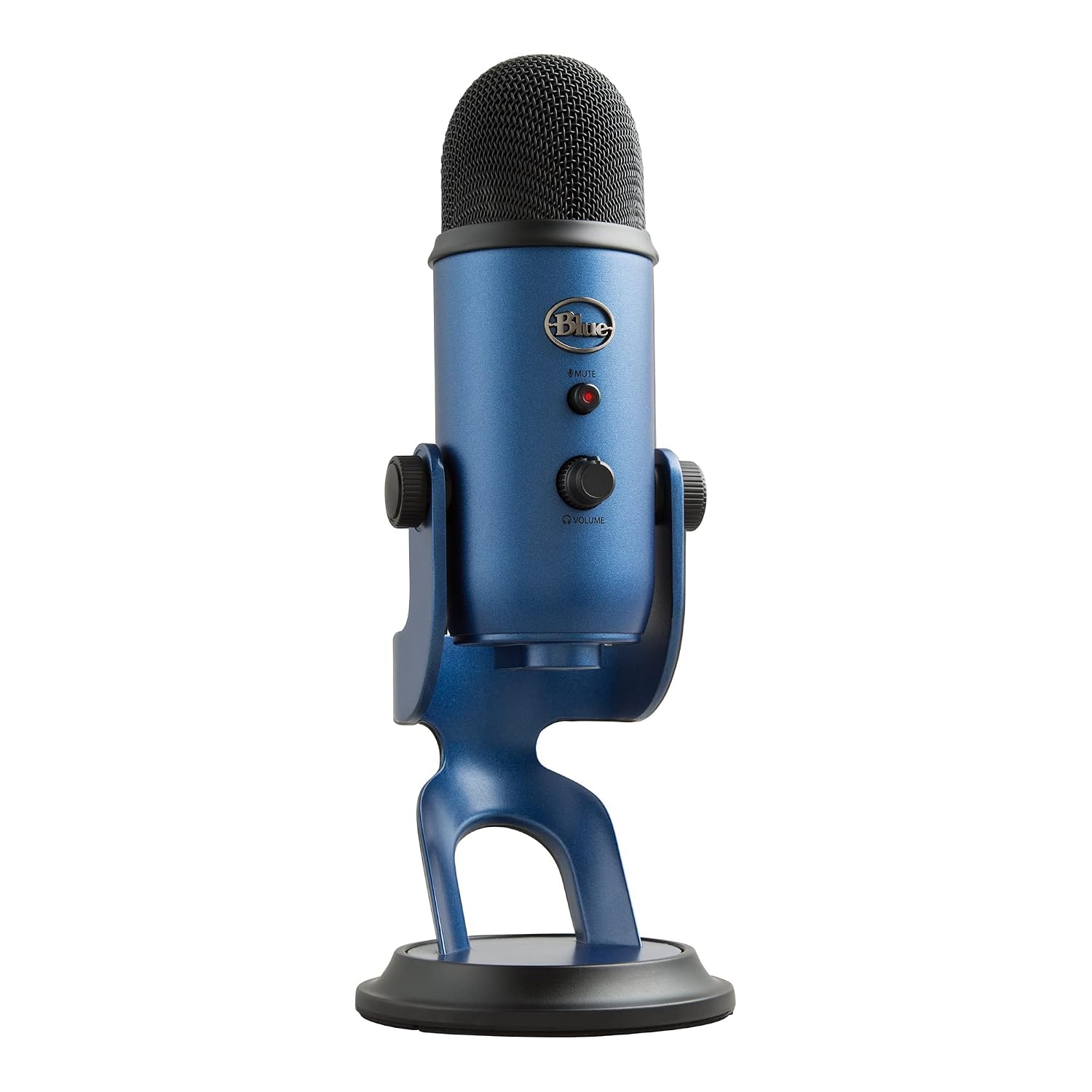
USB desk mic for recording audio directly on your computer — good when you record screencasts at your desk.
Try to get the Blue Yeti because with its help, you can even make videos in slightly noisy environments, which is not possible with most other microphones.
Please note that this microphone is only for recording audio on a computer. If you want to create talking head or traditional table-top videos, you will also need to use your desktop/laptop for audio recording.
Therefore, I do not use this type of microphone. My preference is for microphones that allow me to record audio anywhere. It's important to note that different audio and video recordings need to be synchronized during editing. If you want to avoid this task, you can choose the microphone mentioned in this section.
Recording Audio with the Microphone Itself
There are also microphones available that have a built-in memory card, allowing your voice to be recorded directly onto the memory card, separate from the video. In this category, my favorite is the Zoom H1n. Such microphones are highly sensitive and can capture even distant sounds. Therefore, I either don't use or recommend using this type of microphone.
You can use this type of microphone when you are in a soundproof environment.
Recording Audio on Mobile
Considering the widespread use of mobile phones, companies have started making excellent microphones for recording audio on mobile devices. Now you can use your mobile phone as a high-quality audio recorder.
For mobile use, there are lavalier microphones available. The advantage of these microphones is that they are often clipped to the teacher's shirt collar. As a result, they record very little ambient noise, and even if they do, the focus remains on the teacher's voice.
In this category, my favorite is the Rode SmartLav+. With the help of this microphone, you can record audio on both Android and iPhone mobile devices. You will need to use a good app for this purpose. For audio recording on Android, I use the Sony Mobile Communications app. Rode has also made an audio recorder app for iPhone and iPad users, which you can use as well.
After recording audio on your mobile device, you can easily merge it with your video. This process is not very difficult. Therefore, for creating all kinds of educational videos, I use the Rode SmartLav+ microphone, and I recommend it to you as well. Using this microphone allows you to produce various educational videos on a budget, all with the same microphone.
Audio Processing
It doesn't matter how you record your audio; if you want high-quality audio in your videos, you'll need to process the audio after recording.
To improve the quality of your audio, the first step is to remove any noise from it. For this, you can use a free and open-source software called Audacity.
Answers are generated by AI from this book’s content and may be imperfect — the chapters themselves are the source of truth. This is the same technology behind our AI Teaching Assistant service.