
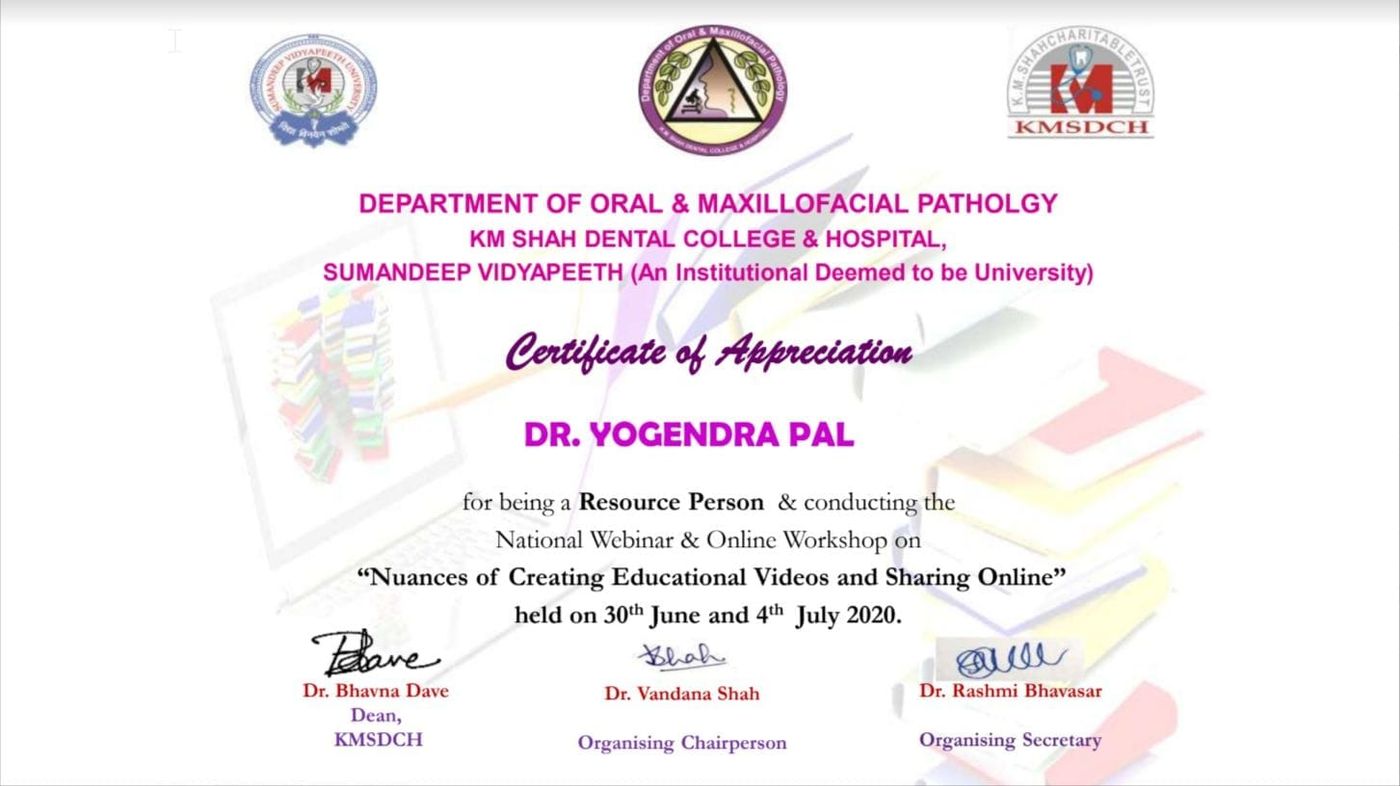
A Successful webinar on Educational Video Creation for K M Shah Dental College
Nuances of Creating Educational Videos and Sharing Online An online educational video creation workshop that turned out to be very productive. 30 June 2020, 11 AM to 1 PM Session 1: Topics Covered Types of educational Videos It is important to know about the types of videos as it makes communication
Nuances of Creating Educational Videos and Sharing Online
An online educational video creation workshop that turned out to be very productive.
30 June 2020, 11 AM to 1 PM
Session 1: Topics Covered
Types of educational Videos
It is important to know about the types of videos as it makes communication better.
TableTop Production
Most easy and useful way to produce videos that involves writing and drawing.
ScreenCast using OBS
OBS allows to add sources. Display capture and Window capture allows to create ScreenCast.
SlideCast using OBS
Knowledge of ScreenCast also allows one to create SlideCast.
TalkingHead using OBS
TalkingHead can be created with a laptop and OBS. This option also allow to create mix videos like slide with talking head.
Other types of videos
OverHead, Explainer, Animation types of videos were introduced.
Session Assignment
I assigned a task that everyone has to create and submit at least one video. Also, I promised to review all videos before second session.
You can see all submitted videos below with their reviews.
Video Reviews
Professor & HOD in Oral Pathology and Microbiology,
SDCRI, Rajasthan, India
Review
-
Background noise can be removed easily with the help of Audacity.
- Text size is very small, you could have make it larger or zoom it a little during presentation.
- Purpose of the video is unknown.
Review
4/5
- Voice is clear and video quality is good.
-
Orientation is not correct. You can use YouCut video editor to rotate, crop and reproduce it.
Review
5/5
- Voice is clear and video quality is good.
- Camera could have been positioned little lower to reduce the blank upper portion.
Review
4/5
-
Background noise can be removed easily with the help of Audacity.
- Camera is not positioned perpendicular to the paper this is why text is hidden with hand when you are writing on paper.
Review
3.5/5
- Pace is fast.
- Cues are missing. When presenting points from slides guide students eye to that point using mouse.
- During editing, some portion of instructor voice also got cut.
Review
4/5
-
Background noise can be removed easily with the help of Audacity.
- Camera is not positioned perpendicular to the paper this is why text is hidden with hand when you are writing on paper.
- Wrong placement of camera makes it difficult to read the text.
Review
4.5/5
- Presenting content with relevant images is a good idea.
- Cues are missing. When presenting points from slides guide students eye to that point using mouse.
- Pace is very slow.
https://www.youtube.com/watch?v=00yKXr0_zLU
Dr. Arpan Shah
Reader,
Department of Oral Pathology & Microbiology,
Manubhai Patel Dental College,
Vadodara,
Review
https://www.youtube.com/watch?v=HzAbT9VG7qc
Prof. Dr. Amit Mahajan
Review
https://www.youtube.com/watch?v=ag9ynNNYN40
Dr. Viren Abhani
Review
5/5
- Professional video, very good presentation
Review
4.5/5
- Voice quality is good and audio is clear.
- Pace is perfect
-
Background noise can be removed easily with the help of Audacity.
Podcast
Review
-
Background noise can be removed easily with the help of Audacity.
- You forgot to open presentation in slideshow mode.
- Text size is very small, you could have make it larger or zoom it a little during presentation.
- Make sure to switch off fan before you start recording as air-noise is difficult to remove.
- Cues are missing. When presenting points from slides guide students eye to that point using mouse.
- Camera position is not correct as it’s not focusing on instructor’s face.
Review
- Pace is fine
-
Background noise can be removed easily with the help of Audacity.
- Text size is very small, you could have make it larger or zoom it a little during presentation.
- Use a bolder pen like sketch pen or marker to make writing and drawing more visible.
- If you put paper in landscape, you will get more space to write and will be able to cover complete 16:9 screen of video.
Review
-
Background noise can be removed easily with the help of Audacity.
- Text size is very small, you could have make it larger or zoom it a little during presentation.
Review
- Text size is perfect.
- Pace is perfect
-
Background noise can be removed easily with the help of Audacity.
- Try to use one type of transition throughout the video.
- Cues are missing. When presenting points from slides guide students eye to that point using mouse.
-
You can use OpenShot to remove unwanted portion from the video which is present in the beginning and at the end of this video.
how we can show the pointer in video. While recording I pointed it but its not visible in the video.
sss
Review
- Use of video and images to present your content is very useful.
GMERS MC, Gotri Vadodara
Review
-
Background noise can be removed easily with the help of Audacity.
- Camera position is not correct, try to place camera parallel to instructor’s eyes.
- Keep presentation ratio 16:9 not 4:3
Podcast
GMERS MC, Gotri Vadodara
Review
-
Background noise can be removed easily with the help of Audacity.
-
Camera focus is changing again and again. Use AF lock in camera.
- Try to deliver dialogues in a loud tone. At present it is looking like as if instructor is talking to herself.
Review
- Use of colors is very good.
-
Background noise can be removed easily with the help of Audacity.
- Paper is moving a lot, you can fix it by putting more papers behind it.
4 July 2020, 11 AM to 12 AM
Session 2: Discussion and Experience
Audio Quality Improvement
Since, teachers now gained experience on educational video creation they were asking practical questions related to audio quality. I demonstrate audacity for voice improvement.
Discussion on Reviews & Q&A
Few teachers asked questions related to their video reviews and how these can be improved and shared their experience on educational video creation.
Grow faster, protect your content
Building an audience and selling courses? Two things help: produce videos far faster with AI Educational Video Creation, and stop your paid content being pirated with VideoKavach — encrypted, watermarked video hosting built for educators.
Related guides
10 Ways to Create a Personal Brand as an Educator
Build a Personal Brand as an Educator and It’s Importance